Best Student Laptops
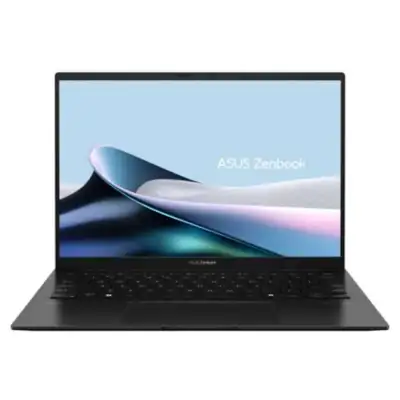
According to The Cut List, 3 great picks for the best student laptops are Lenovo Flex 5i Chromebook Plus 14" Laptop with Google AI (128GB), Apple M1 MacBook Air (13.3"), and ASUS Zenbook 14 OLED Laptop.
How we make our picks →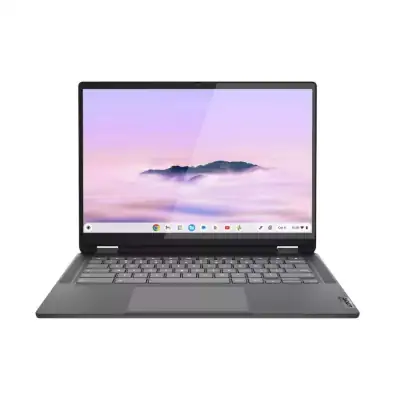

Student laptops are specifically designed to meet the needs of students in educational settings. These laptops typically prioritize portability, durability, battery life, and affordability while providing adequate performance for everyday tasks such as note-taking, online research, assignments, and multimedia consumption. They are an essential tool for modern learning, allowing students to access educational resources, engage in collaborative projects, and participate in online classes. The growing reliance on technology in education makes it essential to choose a reliable laptop that meets academic requirements without breaking the bank. Furthermore, the right student laptop can enhance productivity, support interactive learning experiences, and help students stay organized in their academic pursuits.
How We Select the Best Products
At The Cut List, our process for selecting the top student laptops is rooted in thorough research and expert evaluation. Our knowledgeable shopkeepers leverage their understanding of the technology landscape and gather insights from reputable sources. We prioritize performance ratings, user reviews, and value for money to curate our top 3 picks. Our team has trained keen eyes for distinguishing credible reviews from those influenced by affiliate marketing, ensuring that our recommendations are genuine and trustworthy.
Considerations When Buying
When selecting the best student laptop, there are several important factors to consider:
- Performance Specifications: Look for a laptop with at least an Intel Core i3 or AMD Ryzen 3 processor, 8GB of RAM, and a Solid State Drive (SSD) for superior performance and quick responsiveness.
- Battery Life: Students often need a laptop that can last through long days on campus. Aim for laptops that offer at least 8-10 hours of battery life to get through classes and study sessions without needing a charge.
- Weight and Portability: Since students carry their laptops around frequently, opt for a lightweight model (3 to 4 pounds) that’s easy to transport in a backpack.
- Screen Size and Quality: A 13 to 15-inch display is generally preferred for balance between usability and portability. Additionally, look for Full HD (1920 x 1080) resolution for clear and vibrant visuals.
- Durability: Consider laptops constructed with sturdy materials to withstand the daily rigors of student life, including accidental drops and spills.
- Connectivity: Ensure it has multiple USB ports, an HDMI port, and, preferably, a headphone jack, as these are often required for classroom presentations and collaborations.
What to look for in student laptops can have a significant impact on academic success. Understanding these features helps tailor your choice to what fits your specific learning environment.
Variations or Subcategories
Student laptops can be categorized into several notable subtypes, each catering to different needs:
- Traditional Laptops: Standard laptops that perform well for general tasks like web browsing and document editing.
- Chromebooks: Budget-friendly laptops that run Chrome OS, great for cloud-based applications and online learning, but may have limited compatibility with software that runs on Windows or macOS.
- Convertible Laptops: These versatile devices can function as both laptops and tablets and offer touch screen capabilities, appealing to students who value flexibility.
- Business-Class Laptops: While more expensive, these often include additional durability, performance, and security features, making them suitable for students in specialized studies.
Recognizing the different kinds of student laptops will allow you to make an informed choice that aligns with your educational goals.
Why Buying Student Laptops Direct is Better for Everyone
Purchasing student laptops directly from brands or authorized retailers comes with distinct advantages for both consumers and manufacturers. Students can often access better pricing and support while avoiding inflated prices that middlemen may impose. This direct approach leads to healthier profit margins for manufacturers, which can be reinvested in product development and enhancements, resulting in better quality and innovative laptops. This beneficial cycle ensures that brands can continue to meet student needs effectively while consumers receive greater value. Unfortunately, monopolistic middlemen can disrupt this balance by driving up costs without adding any substantial benefits. Opting to buy direct fosters a competitive environment that promotes quality and affordability in the realm of student laptops.
Explore Categories in San Diego


Explore Product Categories